
Save DocSend decks as PDF, in one click
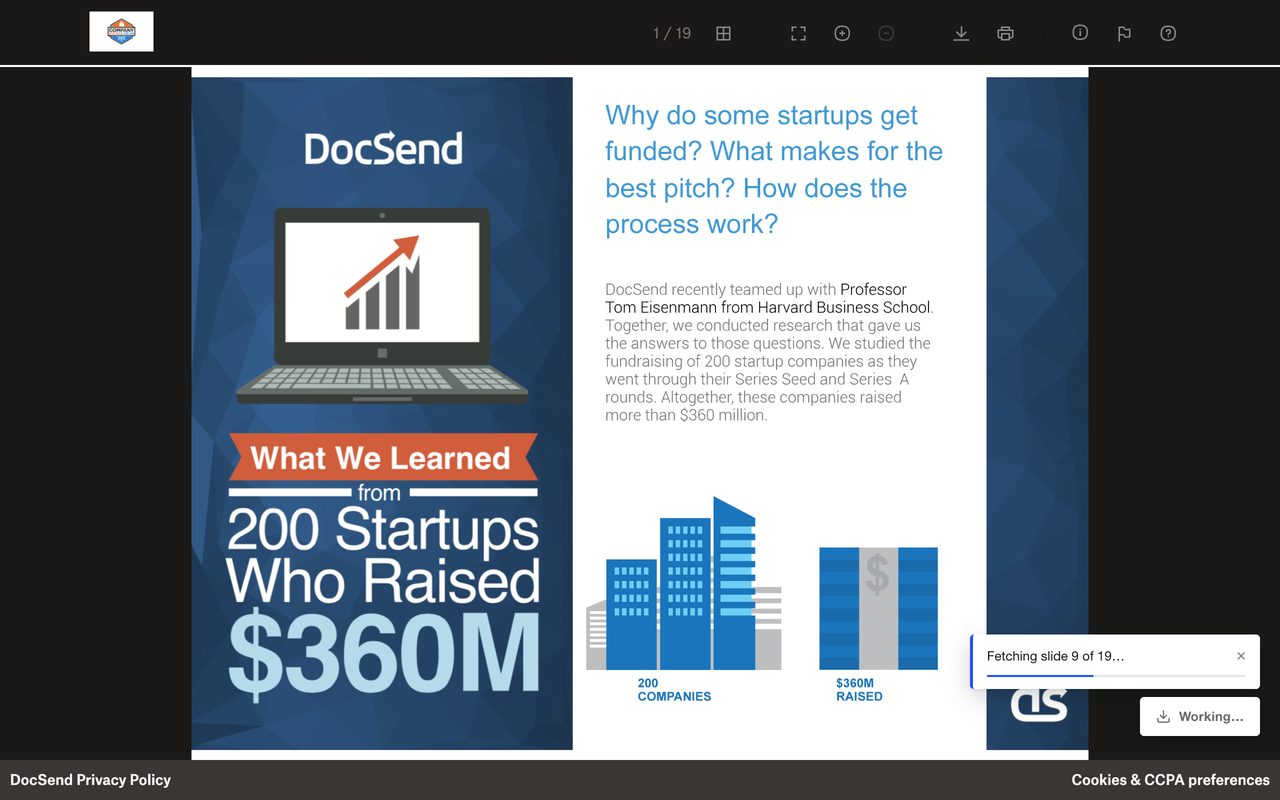
Open a DocSend link you were sent, click once, and get a PDF with the links still clickable. It runs entirely in your browser. No server, no account, free.
Add to Chrome, freeWorks in Chrome, Edge, Brave and other Chromium browsers.
Why people use it
- Keep a copy that doesn't expireDocSend links get revoked. Your PDF stays readable offline and easy to annotate or file.
- Handles the access screenIt fills DocSend's email, name and passcode form for you, so you type them once.
- Links keep workingLinks inside the slides stay clickable in the saved PDF.
- Private by designSlides are fetched and assembled on your computer. Nothing is uploaded, nothing is tracked.
- Pick the file sizeHigh keeps DocSend's original image quality. Balanced and Small make lighter files for email.
- Custom domains tooDecks on company domains (docs.company.com/view/...) work from the toolbar icon.
How to download a DocSend deck as a PDF
- Install DocSend to PDF from the Chrome Web Store.
- Open the DocSend link you were sent.
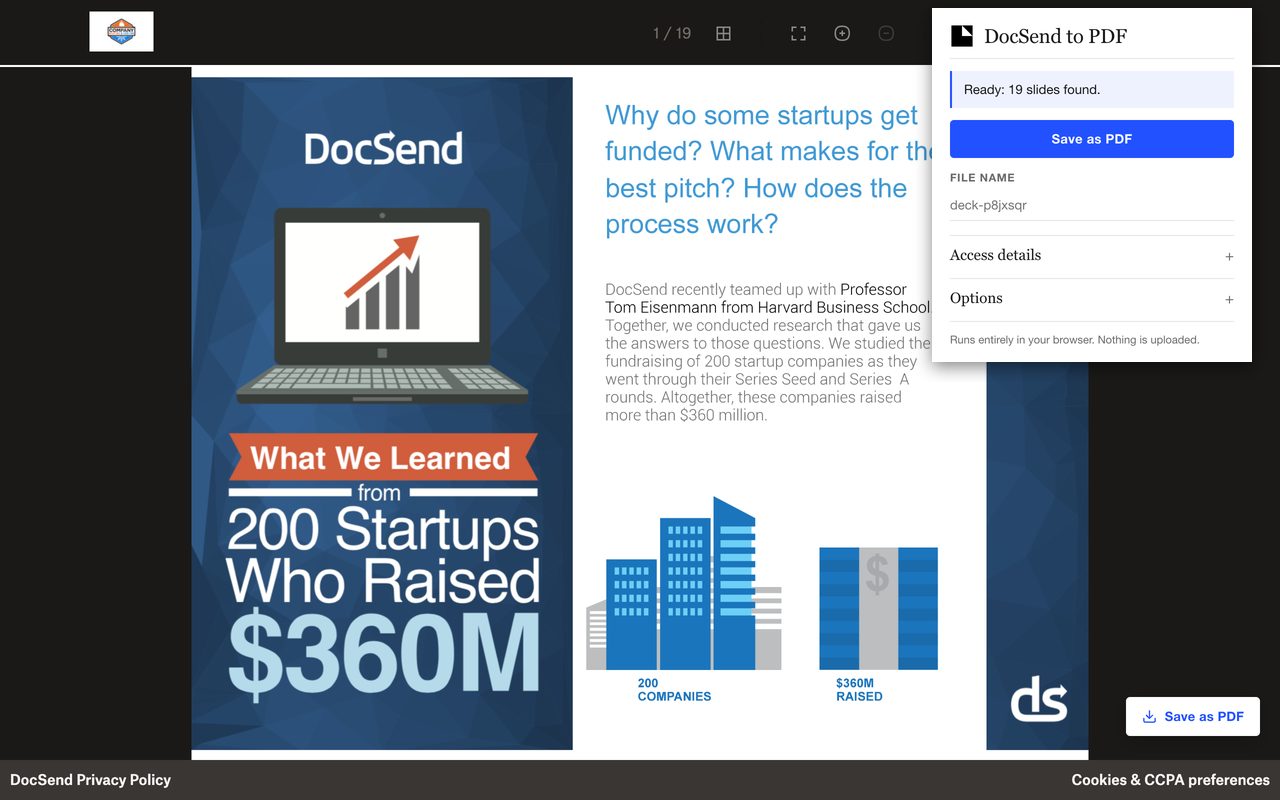
- Click the extension icon, or the Save as PDF button on the page.
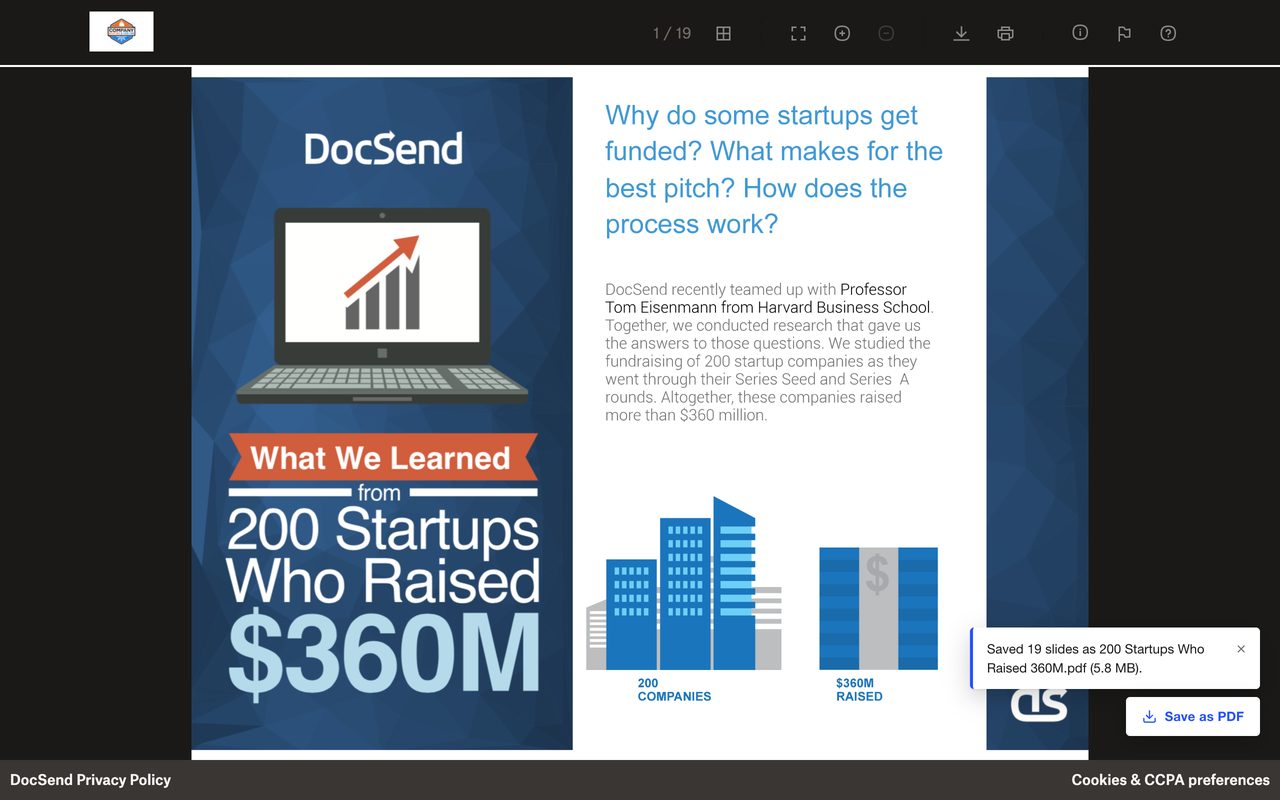
- If the deck asks for an email or passcode, enter it once in the popup. The PDF lands in your Downloads folder.
What it can't do
- Slides are saved as images, so text in the PDF isn't selectable or searchable.
- Videos, spreadsheets and data-room index pages can't be saved.
- If a deck has an NDA checkbox or sends a verification email, you tick or click that yourself.
Questions
Is it free?
Yes. There is no paid tier and no account.
Is it safe? Are my files uploaded anywhere?
No. Slides are fetched and assembled inside your browser. The extension only accesses DocSend pages and DocSend's own image server, collects no data and loads no remote code. See the privacy policy.
Does it work with passcode-protected links?
Yes, if you have the passcode. Enter it once in the popup and it fills the gate for you. Passcodes typed on the page are used for that deck only.
Does it work on Windows and Mac?
Yes. Desktop Chrome, Edge, Brave and other Chromium browsers on Windows, Mac and Linux.
Can I download a DocSend file with no download button?
The extension builds a PDF from the slides you can already view. If the sender has turned downloads off, ask them first.
Only save files you have permission to keep. DocSend to PDF is not affiliated with DocSend or Dropbox.